
Auto Followers (Auto add friends) on Facebook

website for Auto Followers (Auto add friends) on Facebook:https://hublaa.me/

How To Get more than 1000 Real Twitter followers daily in few minutes
.jpg)
website for followers : http://hitfollow.info/


.jpg)
Download IDM Full Registered

Asalam 0 alikum Today i have one best software IDM Full registered . This was a main porblem to download any thing from internet without IDM but today i have solution of this problem.
Download Windows 10 Full Free
Steps.
- First of all uninstall your old idm if it is not registered.
- Now download this IDM Download
- This file is in .zip form you need to extract it.
- When you extrat it then go to folder and install IDM.
- Now open the crack folder .there are two files in this folder just copy them .
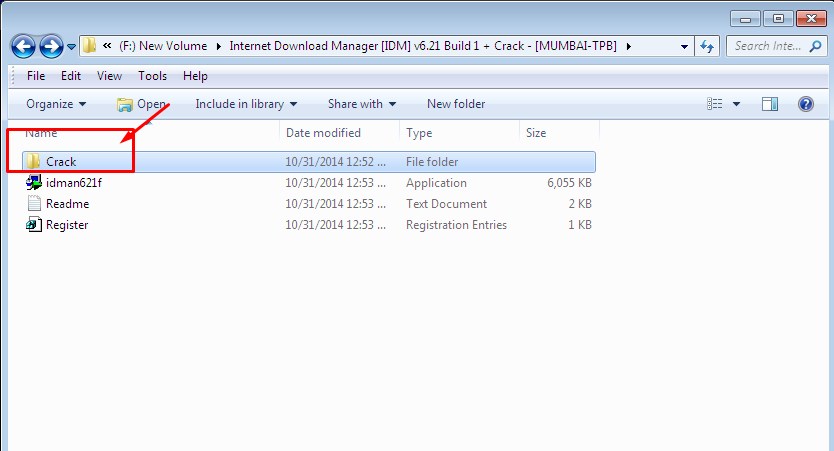 |
| IDM full version |
- Then after copy the files right click on IDM icon go to properties.then click on show folder location.
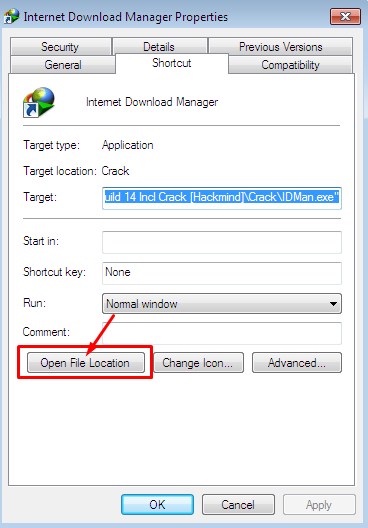 |
| IDM full version |
- You will direct go to the folder where the all files of IDM installed.
- Paste the files which you copyed from Crack folder .
NOTE:IF YOUR WINDOW SHOW YOU THESE OPTIONS WHEN YOU PASTE - COPY AND REPLACE
- DONT COPY
- COPY AND KEEP BOTH
SELECT COPY AND REPLACE
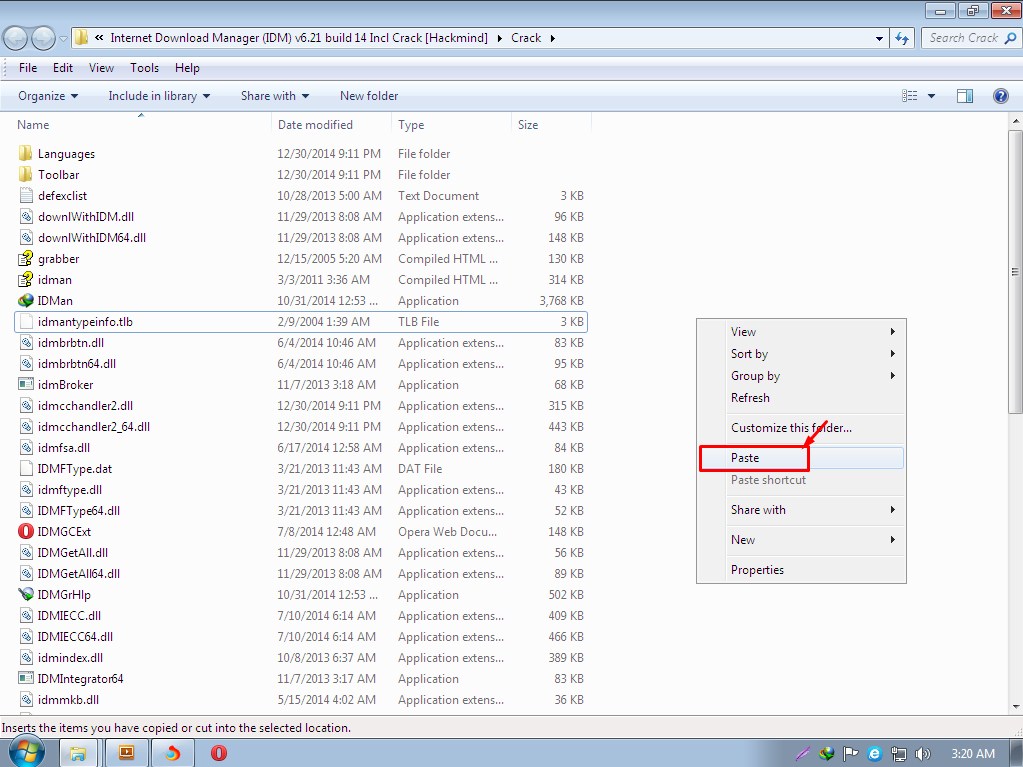 |
| IDM full version |
- Double click on regster file Poup up window will open click on yes then ok
ADD IDM EXTENTION IN YOUR BROWSER
- Again right click on IDM icon go to properties.then click on show folder location.
- Now serach for the IDMGCExt file.
- When you serach this file then go to your browser settings
- From settings go to extention
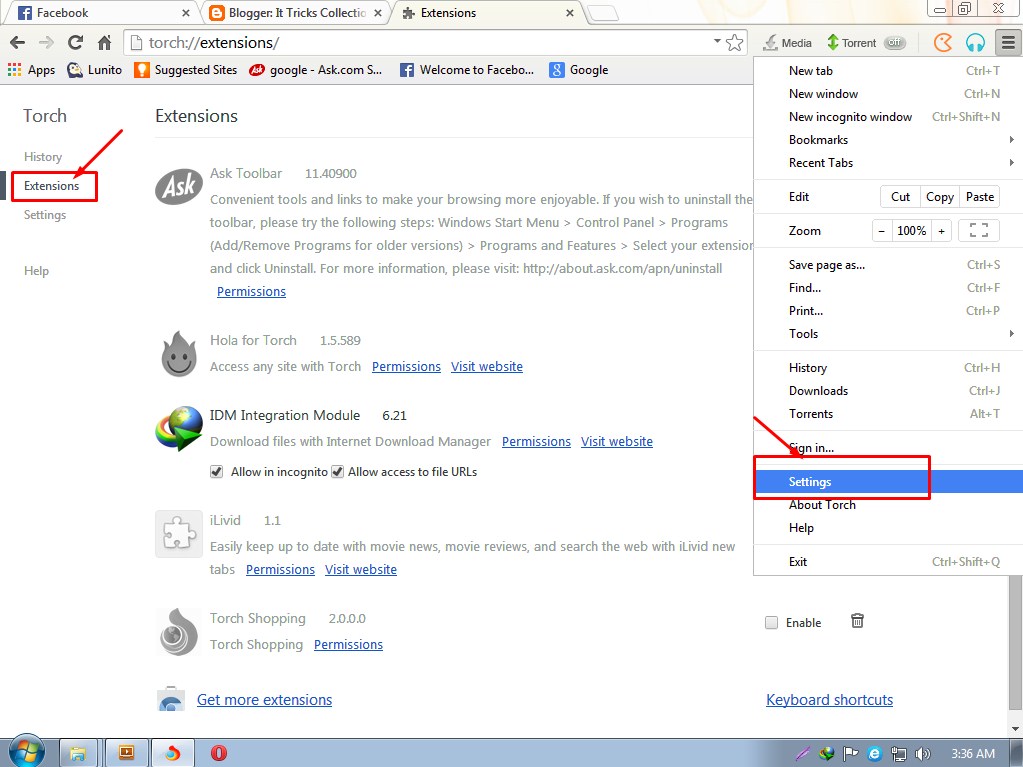 |
| IDM full version |
- Now click on IDMGCExt file and drop it into the extention tab.
- Pop up window will comes cilck on add .
- Now click on the small box and enable IDM
WE do it All are Done !
IDM full version
- Just restat yoyr browser and Enjoy Free IDM
NOTE>>Now your IDM is registered never uptade your IDM again.
HAVE ANY PROBLEM MUST COMMENT
Vreify and submit your blog on google

Verify Your Blog In Google Webmaster Tools
In order to verify your blog, Go To Google Webmaster Tools. Now there you will see your blog in the homepage and that is automatically added to webmaster tools because Blogger is owned by Google and it used to automatically add blog in webmaster tools for better service. If your blog is not added then you also add it manually. So now follow the simple steps below to verify your blog.Steps
- Go To Webmaster Tools Homepage >> Look for your blog


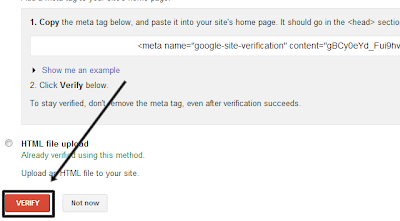
After clicking verify button, You will see the congratulations message that you've successfully verified your blog in webmaster tools. Now it's time to submit the sitemap. Let's jump to next step.
Submitting Sitemap To Google
- Go To Your Blog's Dashboard
- Click "Optimization" In The Left Side and Go To "Sitemaps"
- Click On "Add/Test Sitemap"
- Copy The Code Below and Paste It In The Text Box and Press "Submit Sitemap"

- atom.xml?redirect=false&start-index=1&max-results=500
- Note : The above code is for 1 to 500 posts and if you have more than 500 posts published on your blog then just copy the two lines below and paste it on that text box and add it twice.
atom.xml?redirect=false&start-index=1&max-results=500
atom.xml?redirect=false&start-index=500&max-results=1000
CONGRATULATIONS !We done.
Subscribe to:
Posts (Atom)